Ploud has a Recycle Bin function where content can be restored if deleted. The deleted content will only be able to be restored for 30 days. Once the 30 days have passed the content can no longer be restored.
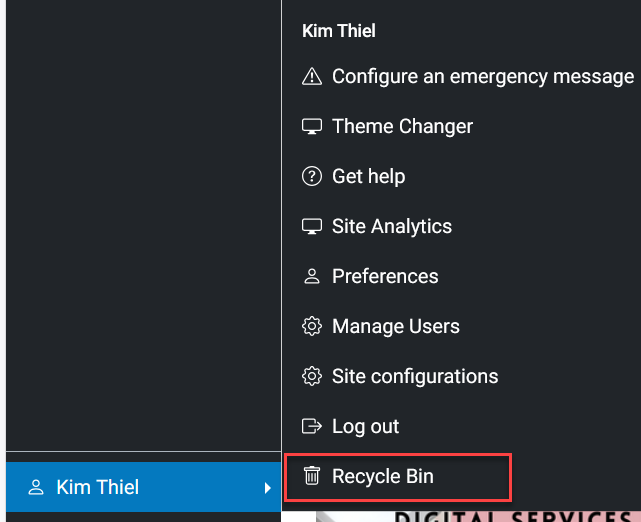
To access the Recycle Bin function click on your login name and select Recycle Bin
The following screen will look like this.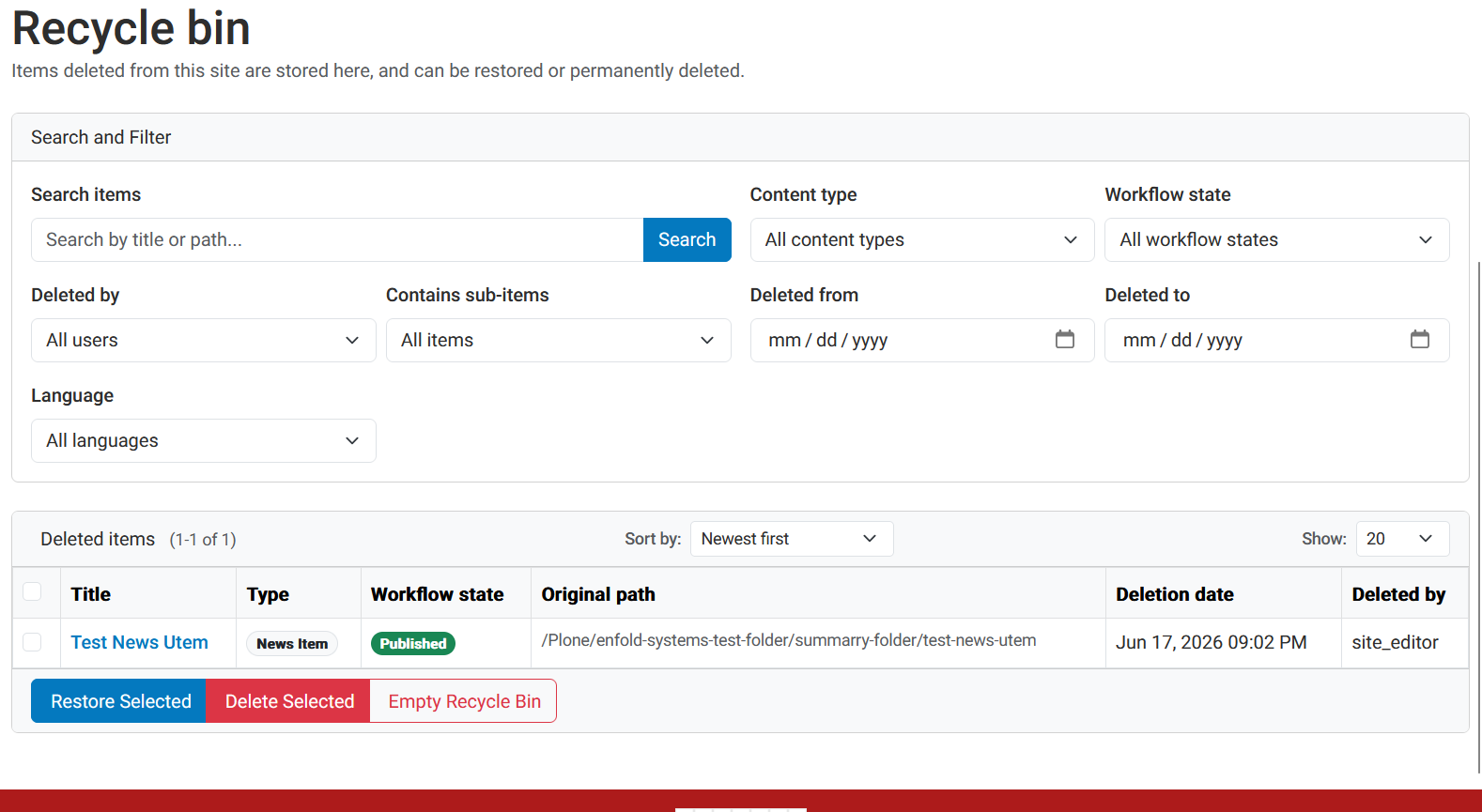
If there is a lot of content that has been deleted. You can use several different ways of filtering the deleted content..
Once you have found the item you wish to restore select the item by chcecking the check box to the left of the item.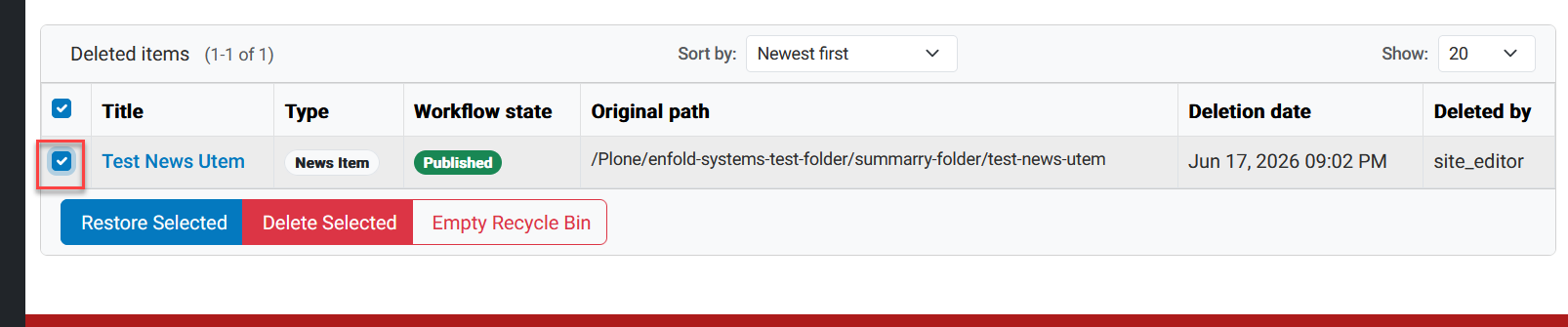
Once the item or items have been selected click on Restore Selected .That will immediately restore the item. 
You also can opt to delete the item and this will permanently delete the selected item and cannot be restored.
The last option and make sure you really want to perform this function is to Empty Recycle Bin.
Was this article helpful?
That’s Great!
Thank you for your feedback
Sorry! We couldn't be helpful
Thank you for your feedback
Feedback sent
We appreciate your effort and will try to fix the article