Just as you can for a portlet you can add a navigation tile.
Over View
The Mosaic Navigation tile is a compact, visual hub that presents multiple navigation targets as a single, tappable mosaic. It is designed for dashboards and home screens where quick access to related areas is essential, while saving space and maintaining a clean, visual aesthetic.
As always if you do not see the Insert and Format tab on far right click Customize to bring up those tabs.
This is the what you should see

To add a Navigation tile under the Insert tab select Navigation
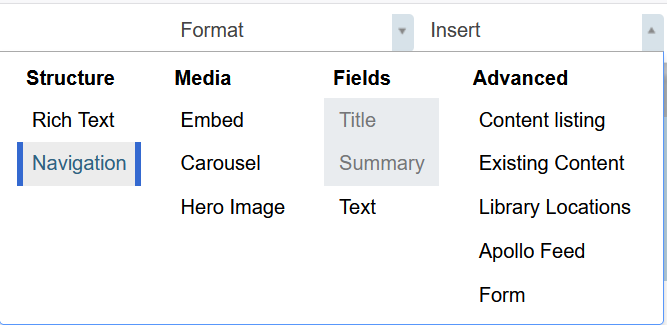
After clicking on the navigation option drag the tile on to the Mosaic page and drop it by clicking once more on the page.
Everything in that folder will be listed and clickable to access that page listed.
Example:

Was this article helpful?
That’s Great!
Thank you for your feedback
Sorry! We couldn't be helpful
Thank you for your feedback
Feedback sent
We appreciate your effort and will try to fix the article