Adding Tags to use for Collections as an example for a Mosaic page can be added in file contents of a folder by following the instructions below.
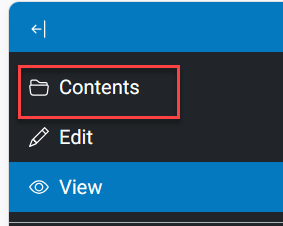
1. Find the Mosaic page in the contents of the folder that the Mosaic page is in. /folder_contents and click from the Editors Menu Contents
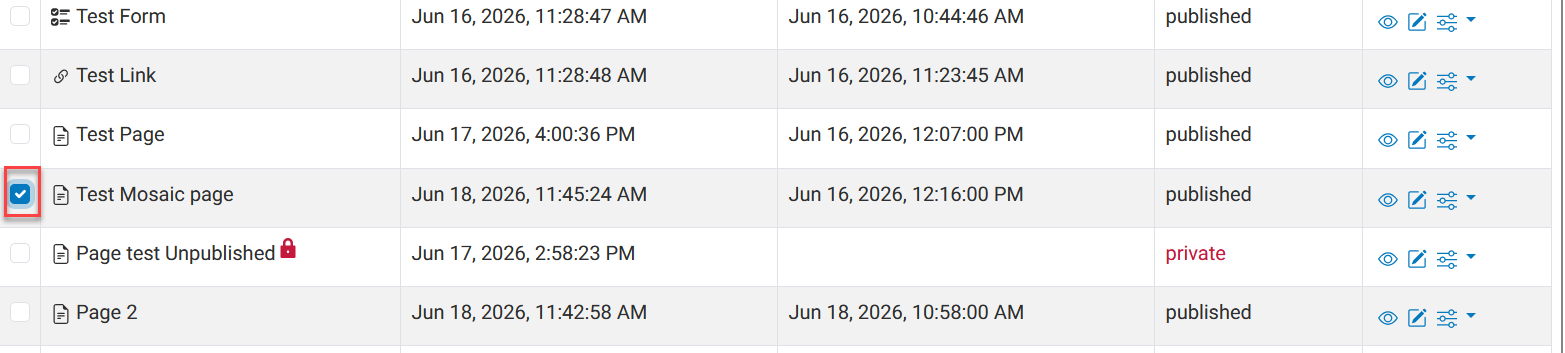
2.) Locate the Mosaic page and click on the check box to the left of the page title
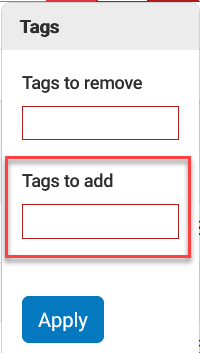
3.) Once the desired Mosaic page has been selected look to the top of the contents page and select Tags
4.) Under the Tags pop click in the box under Tags to add any tags that already exist and can be assigned tot he Mosaic page will list.
listed tags shown that have already been added.
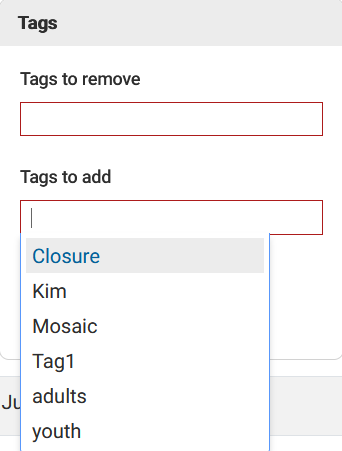
5.) You either select a tag from the list or create a new tag filling in the field. The new tag your adding will be shown underlined select that to add the tag to your Mosaic page. The display will show the new Tag (Note: If you chnage your mind just select the 'X' to delete the tag.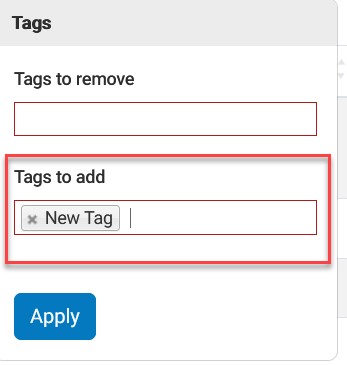 6.) Click Apply to save your tag for that Mosaic page.
Was this article helpful?
That’s Great!
Thank you for your feedback
Sorry! We couldn't be helpful
Thank you for your feedback
Feedback sent
We appreciate your effort and will try to fix the article